


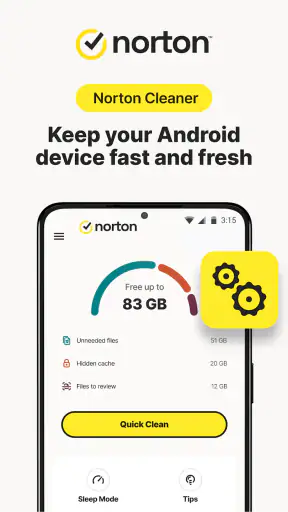
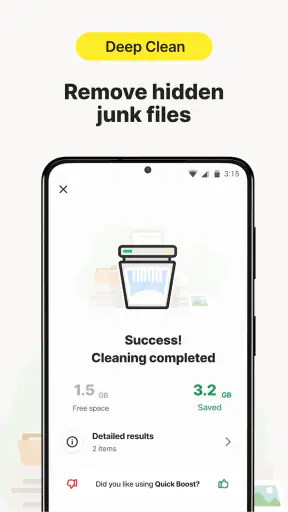
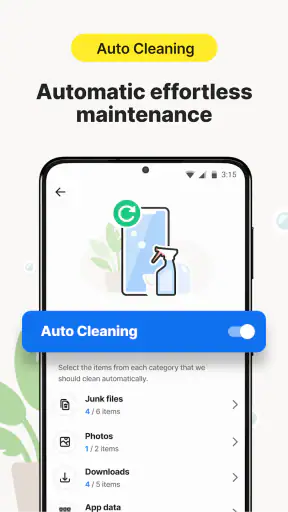
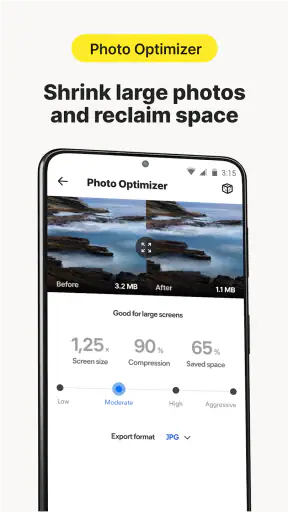
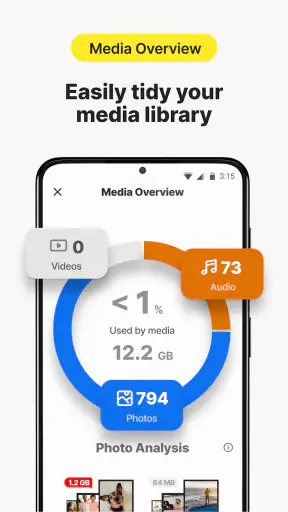
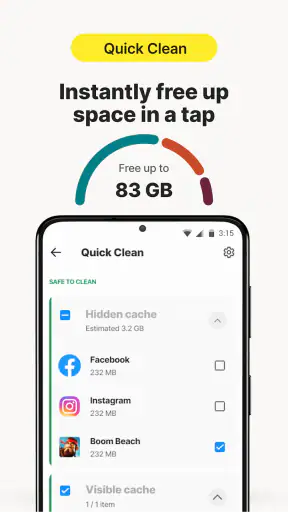
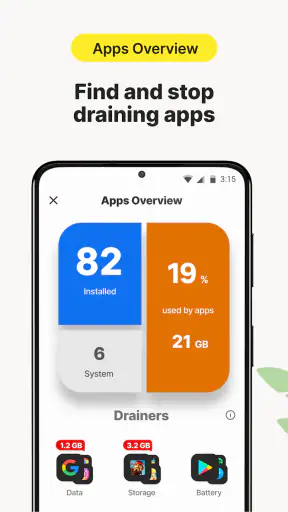

I found Norton Cleaner most useful as a hands-on photo-library tidy-up tool rather than a complete solution for every kind of phone maintenance. Its main job is easy to understand: it helps me find clutter in my pictures, remove unwanted items, and make a crowded gallery easier to manage. That focused approach is also its biggest strength. Instead of burying the cleanup process inside a complicated toolbox, the app keeps attention on the files that usually become difficult to control first: photos and other visual clutter.
After using it, my overall view is positive but measured. This is a free tools app from NortonMobile, aimed at anyone who wants a simpler way to review a growing photo collection. It carries an Everyone age rating, so its basic audience is broad. The app has also built a 4.6 average from around 260 thousand ratings, with more than 5 million installs, which fits my impression that it is designed for ordinary phone owners rather than technical users.
How Norton Cleaner handles a crowded photo library
A practical starting point for photo cleanup
The most convincing part of the experience is the way the app turns a vague problem into a review task. “My phone is full of pictures” is not very actionable. A cleanup tool can make that problem more manageable by presenting material that deserves attention, allowing me to decide what stays and what goes. That distinction matters because automatic deletion is rarely appropriate for personal photos. A blurry image may be disposable, but a screenshot, receipt, travel image, or family picture can look unimportant until the moment it is needed.
I prefer using Norton Cleaner as a decision aid rather than handing it complete control. My usual workflow is to open the app when my gallery starts feeling unwieldy, review its suggestions carefully, remove obvious duplicates or accidental shots, and then pause before confirming anything that might have sentimental or practical value. This takes longer than pressing a single “clean” button, but it is a much safer habit.
One useful insight is that cleanup works best in short sessions. Trying to process years of photos in one sitting encourages rushed decisions. I get better results by dealing with one visible group at a time, such as screenshots after finishing a travel booking or unwanted images after a weekend event. The app becomes part of a maintenance routine instead of an emergency measure used only when storage is nearly exhausted.
Where it fits beside built-in phone tools
Both Android and iOS already offer ways to delete photos, browse albums, and remove recently deleted items. Those built-in options remain the safest baseline because they are integrated with the operating system and familiar to most people. Norton Cleaner earns its place when I want a more focused cleanup conversation: show me what deserves a second look, help me reduce visual clutter, and make the gallery feel less chaotic.
That means it is not automatically better than the default Photos app. If I only need to delete a few old screenshots, the built-in gallery is faster. If I want broader device management, another maintenance app may offer a wider collection of tools. Norton Cleaner is more appealing when the specific problem is a messy photo library and I would rather have a dedicated interface than search manually through folders and albums.
The trade-off is concentration. Because the app’s identity is tied closely to cleaning photos and junk, it should not be treated as a universal answer for every storage issue. Removing unwanted images can help, but it does not replace sensible management of large videos, downloaded files, offline media, or app data. I would use it for visual clutter first, then inspect the phone’s own storage settings for the rest.
An everyday situation where it makes sense
Imagine someone who uses a phone for work and personal life. During a normal week, that person saves delivery confirmations, takes several versions of a document, captures a map, screenshots a conversation, and receives images through messaging apps. None of these files seems urgent at the time. After several months, the photo library becomes a mixture of memories and temporary material, making important pictures harder to find.
This is where I see the app being genuinely helpful. I would open it before a trip to make room for new photos, or after a project to remove temporary reference images. I would keep the meaningful pictures, delete the clearly redundant ones, and leave uncertain items alone until I had checked them in the normal gallery. The benefit is not just a little extra space; it is a cleaner visual archive that takes less effort to browse.
A second practical use is preparing an older phone for another family member. Rather than scrolling endlessly through the gallery, I could use the cleanup workflow to reduce obvious clutter while still reviewing personal images manually. I would not use it as a substitute for backing up important content or securely transferring data, but it can make the first pass less tiring.
Important habits before deleting anything
My strongest advice is to separate review from confirmation. When a cleanup suggestion looks obvious, I still ask whether the image is stored somewhere else, whether it contains information I may need, and whether it belongs to another person. A screenshot of a ticket, a medical document, or a payment confirmation may resemble disposable clutter while still being useful.
I also recommend checking the phone’s trash or recently deleted area after a cleanup session. Deletion systems often provide a recovery window, but I would not rely on that as a permanent safety net. If a photo is genuinely important, I would preserve it through a trusted backup method before cleaning the library. Norton Cleaner can support the sorting process, but it cannot replace a backup strategy.
Another less obvious tip is to clean after a predictable burst of activity. Messaging-heavy events, holidays, school projects, and home repairs often create temporary images in batches. Dealing with those batches while I still remember their purpose is easier than trying to identify them months later. This is one reason I find scheduled personal habits more effective than waiting for the app to rescue a completely disorganized library.
What feels smooth and what requires caution
The app’s appeal comes from reducing the mental effort of finding clutter. I do not need to invent a filing system before starting. The cleanup idea is direct, and that makes it approachable for people who dislike technical maintenance. The store summary also positions it around photo cleanup, junk removal, and device optimization, so its purpose is clear from the beginning.
Still, “optimization” should be interpreted sensibly. A cleaner gallery can make the phone feel more orderly, but I would not expect every performance or storage complaint to disappear after deleting a selection of pictures. A phone slowed by a demanding app, a large video collection, or limited overall capacity needs a broader diagnosis. The app is strongest when the clutter itself is the problem.
There is also a personal judgment cost. Any tool that groups files for deletion asks me to trust my own review, not simply the interface. Similar-looking photos are not always interchangeable, and a duplicate-looking image may have a different crop or detail that matters. I appreciate convenience, but I would never rush through the final selection just to finish faster.
Who should use it and who should skip it
I would recommend Norton Cleaner to people who take many photos, collect screenshots, or feel overwhelmed when looking for a specific image. It is especially suitable for users who want guided cleanup without learning complicated file-management terminology. Someone who regularly runs out of room because of visual clutter may find a simple review routine more realistic than manually opening folders one by one.
It can also suit family members who are comfortable using a gallery but not interested in advanced storage settings. The Everyone rating reflects that approachable positioning. I would still explain the review process before letting a less technical user delete anything, particularly if the phone contains work documents or irreplaceable memories.
I would skip it if my only need were to remove one or two files. The regular gallery is usually enough for that. I would also look elsewhere if I wanted a specialist duplicate-file manager, a full backup system, or detailed control over every category of storage. Norton Cleaner is not the right choice simply because it comes from a familiar security name; its value depends on whether photo organization is the issue I am trying to solve.
Cost, updates, and the decision to keep it
The app is free to install, which makes trying its cleanup approach relatively easy. There are in-app purchases ranging from $2.99 to $69.99 per item, so I would pay attention to any upgrade screen and decide whether the additional value matches my own usage. For occasional photo maintenance, I would begin with the free experience and avoid paying merely because the phone feels untidy on one particular day.
The current version is 26.08.0.800011466, and it requires Android 10 or later. That requirement is important for anyone using an older handset: the app may be appealing in principle, but compatibility should be checked before planning a cleanup session around it. On a supported device, I would still keep the operating system and the app updated through normal channels, especially when working with personal photos.
The developer is NortonMobile, and the app has been available since June 29, 2016. Its long presence and substantial user base make it feel established, but I would not confuse popularity with a reason to delete files without checking them. The responsible experience still depends on the user’s choices.
My final judgement
My verdict is that Norton Cleaner is a worthwhile, focused helper for people whose phone feels crowded mainly because their photo library has become difficult to control. Its real strength is guided decision-making, not magical phone acceleration. It gives me a practical reason to review visual clutter, and its narrow purpose is easier to understand than a large maintenance suite filled with unrelated controls.
I would recommend it to a friend who keeps too many screenshots, repeated shots, and temporary images, especially if that friend wants a gentle starting point rather than a technical file browser. I would tell them to use it in small sessions, protect important photos first, and treat every deletion suggestion as something to review rather than an instruction.
For people who need deep storage analysis, automatic backup, or a complete device-management package, another option may be a better fit. For the more specific problem of making a busy photo library less cluttered, however, this free tools app is sensible and approachable. I would keep it as a periodic cleanup companion, while relying on the phone’s built-in storage controls and a separate backup routine for everything beyond that job.


